
1. Find a WORKING micro usb cord. I tried 3 and only one worked. If I gave you the chip it definitely works I have tested it and preloaded it with "hello world".
2. Next, download the Arduino app
↓↓↓↓↓↓↓↓↓↓↓↓↓↓↓↓↓↓
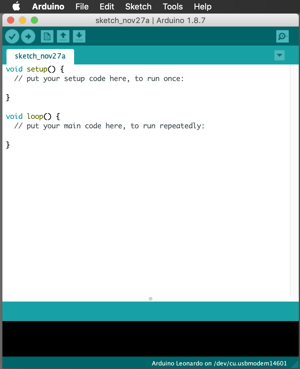
3. Open Arduino app and plug in the pro mini chip into your computer. You should see something like this.
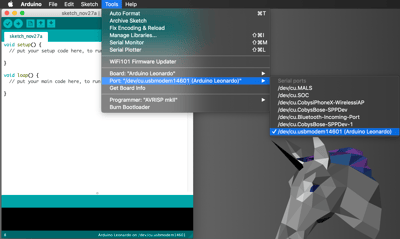
4. Go to the top menu bar, select tools, select ports and click the one that says Arduino Leonardo.
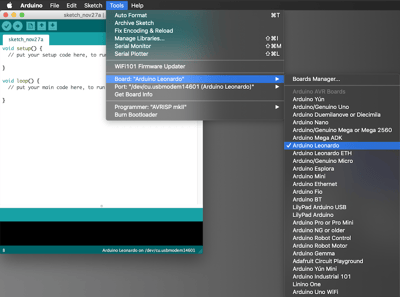
5. go back to tools, go to boards and select Arduino Leonardo.
6. 